A workplace app that brings an employee’s tasks, bugs, projects, sprints, and company updates into one place — designed screen by screen from sign-in to sprint planning.
Context
Static design mockups with placeholder content, c. 2018–2019. Personal-information screens from the original set are deliberately not shown.
Date
c. 2018–2019
My role
UX flows and interface design
Scope
Information architectureDashboard designTask & sprint flowsModal forms
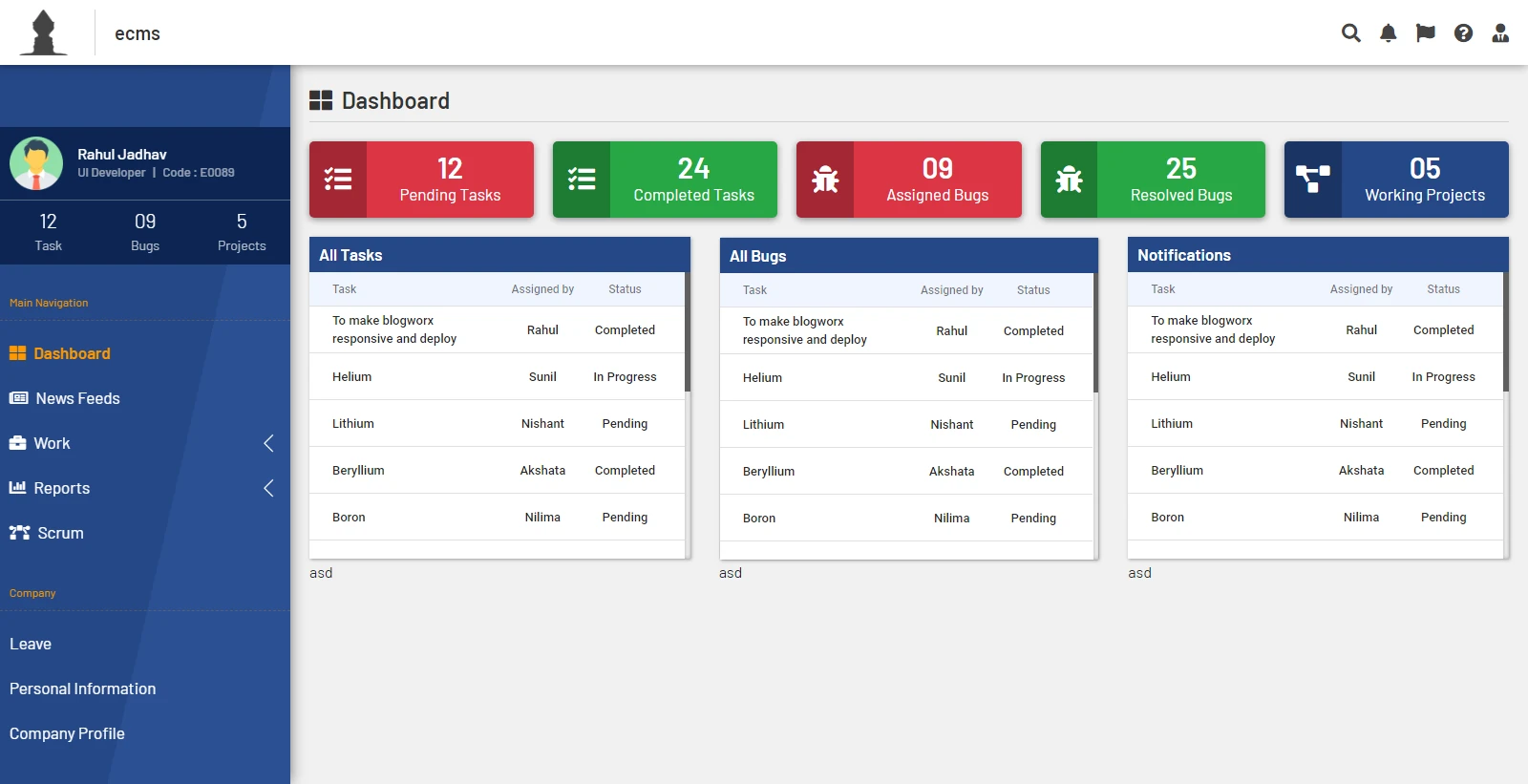
Dashboard. The sidebar keeps the person’s own counts in view; the main area summarises team work and lists what needs attention.
The need
The goal was a single starting point for each employee — their tasks, bugs, projects, sprint plans, and company updates in one app — with planning work, like creating projects and sprints, quick enough to do in the middle of a day.
Key workflows
01Sign in and land on a personal dashboard of tasks, bugs, and projects.
02Catch up on company updates, posts, and polls in a news feed.
03Follow modules through a sprint on a scrum board, from not started to finished.
04Create a new project or sprint in a focused dialog without leaving the board.
Design decisions
One persistent sidebar
The person’s name, role, and live counts for tasks, bugs, and projects stay at the top of the sidebar on every screen, so status is always one glance away.
Summary first, detail on demand
The dashboard opens with five colour-coded totals, then the tables behind them, so people see what needs attention before they read lists.
Status as a visual system
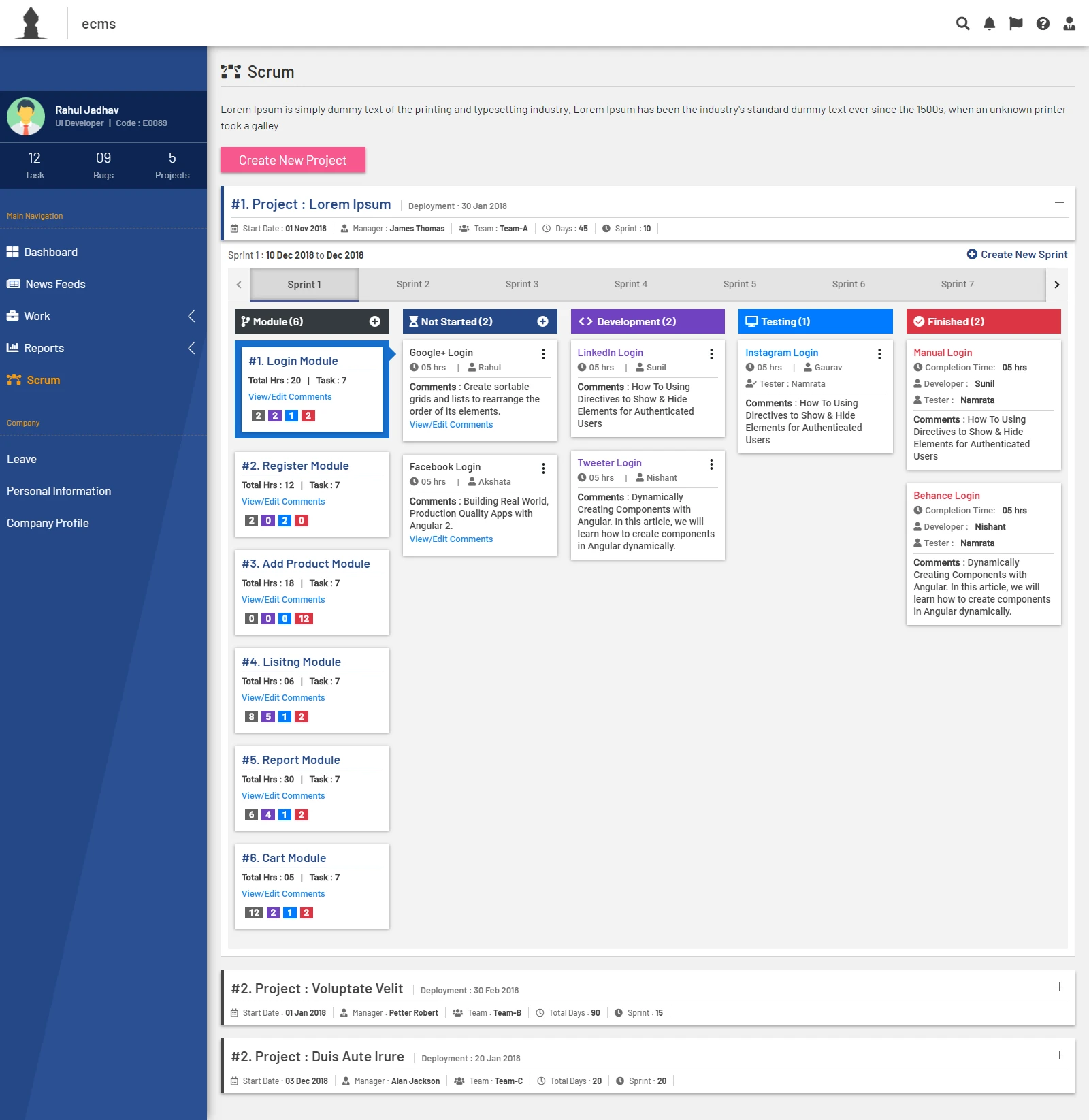
Each sprint stage — not started, development, testing, finished — has its own colour and icon, used consistently on column headers and cards.
Create in context
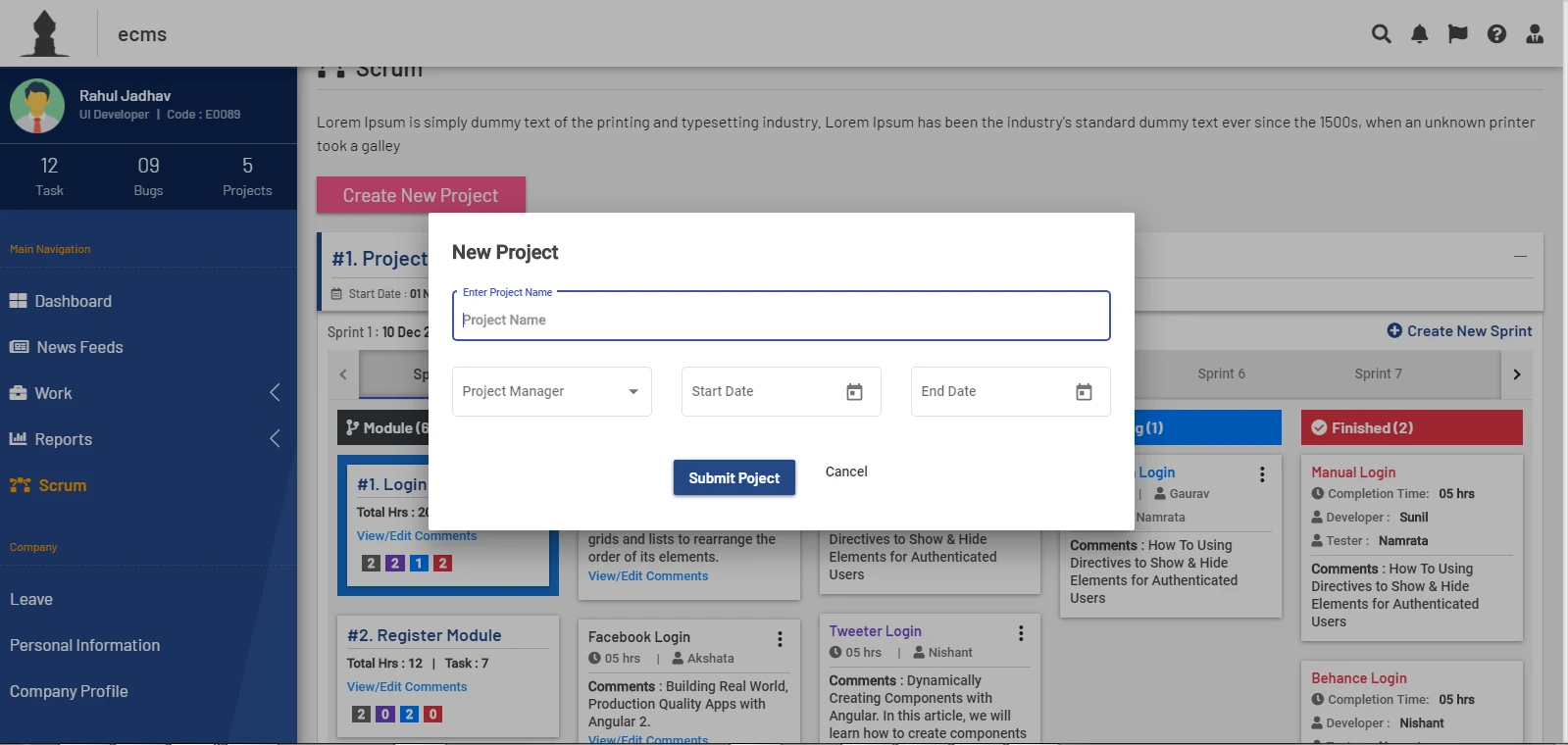
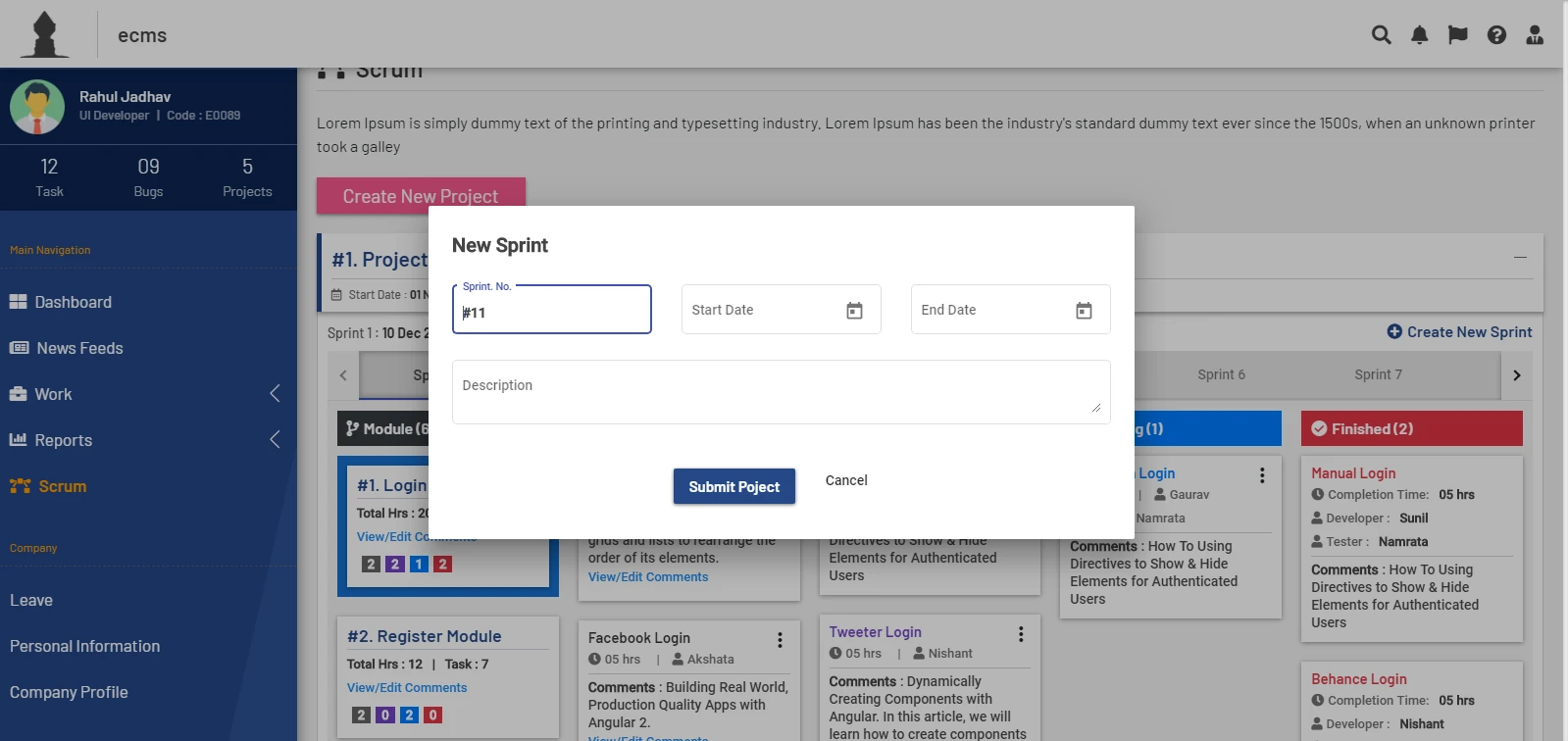
New projects and sprints open as small dialogs over the board, asking only for the essentials — name, owner, dates — so planning doesn’t mean losing your place.
Screens
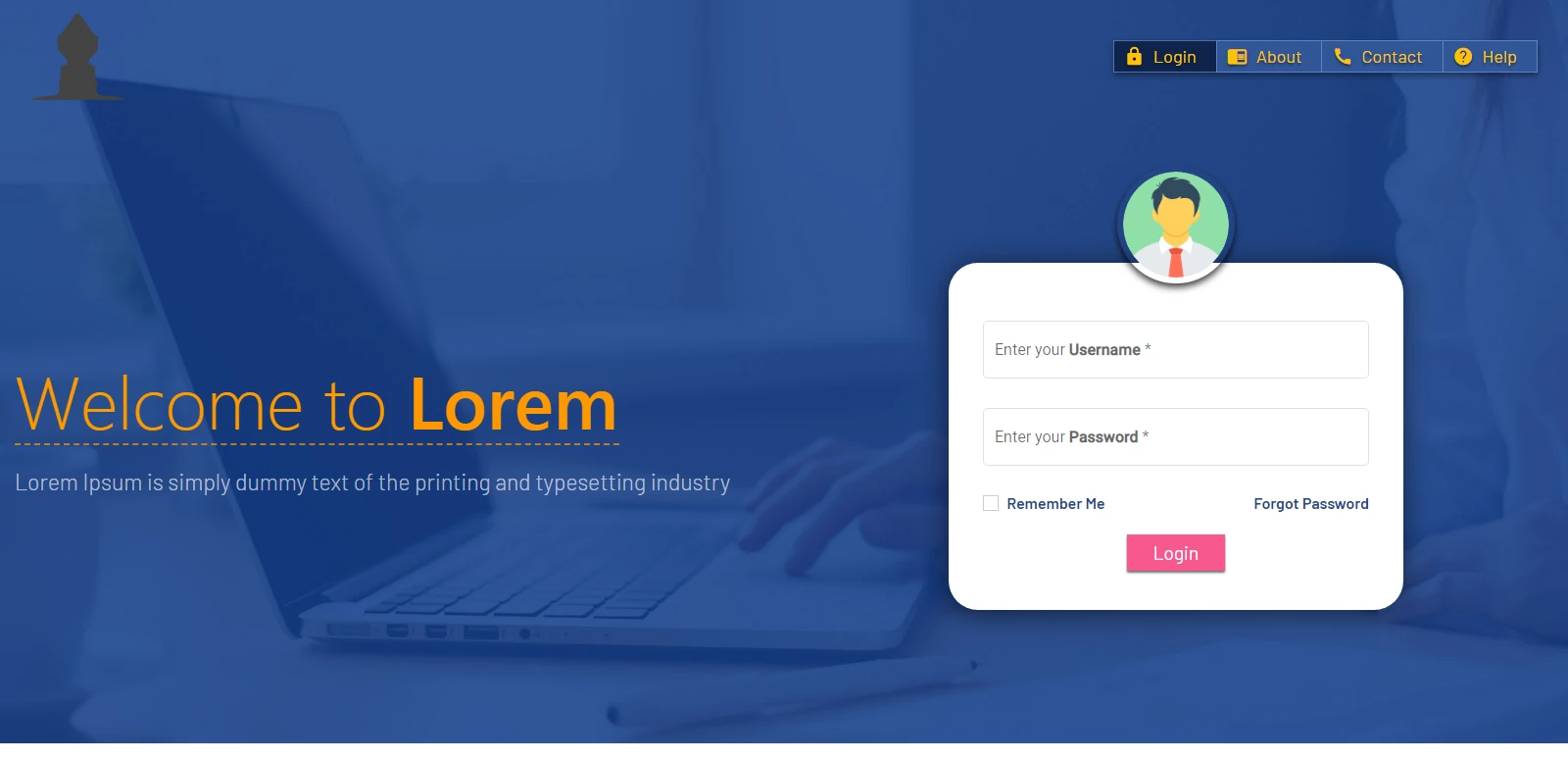
Sign in. A single card with the two fields people need, set against a calm full-bleed background.
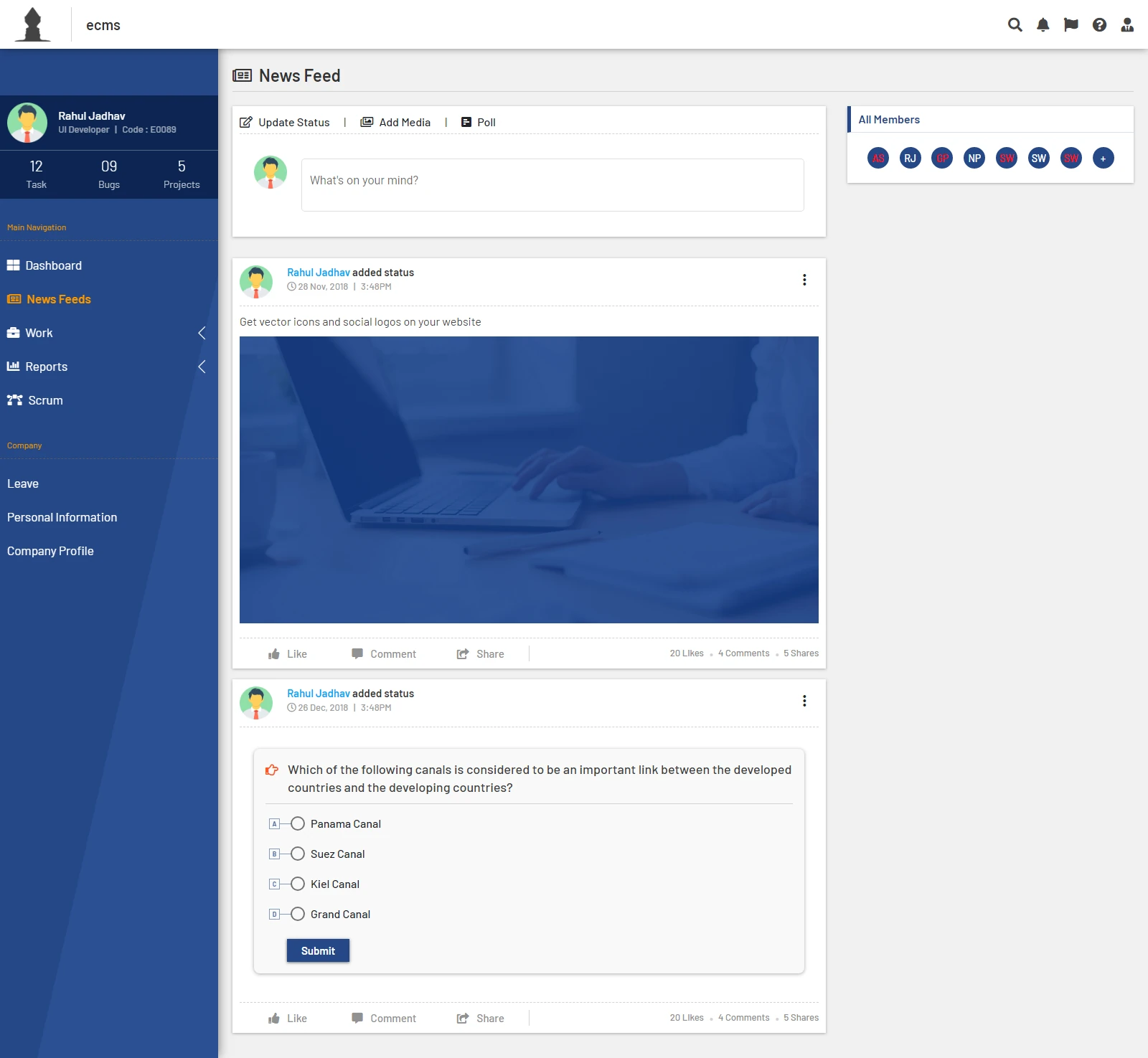
News feed. Status updates, media, and quick polls share one composer, with team members listed alongside.
Scrum board. Modules on the left, sprint tabs across the top, and colour-coded stages for every task card.
New project. Four fields in a dialog over the dimmed board: name, manager, start date, end date.
New sprint. The sprint number is pre-filled, so planning starts with only dates and a description.
What the screens cover
Sign-in, dashboard, news feed, and scrum board.
Project and sprint creation flows in modal dialogs.
A consistent sidebar, status colours, and card patterns across every screen.