Static design mockups with placeholder content, c. 2018–2019.
Date
c. 2018–2019
My role
UX flows, interface design, and logo
Scope
Author & admin flowsContent editorDestructive-action designBrand mark
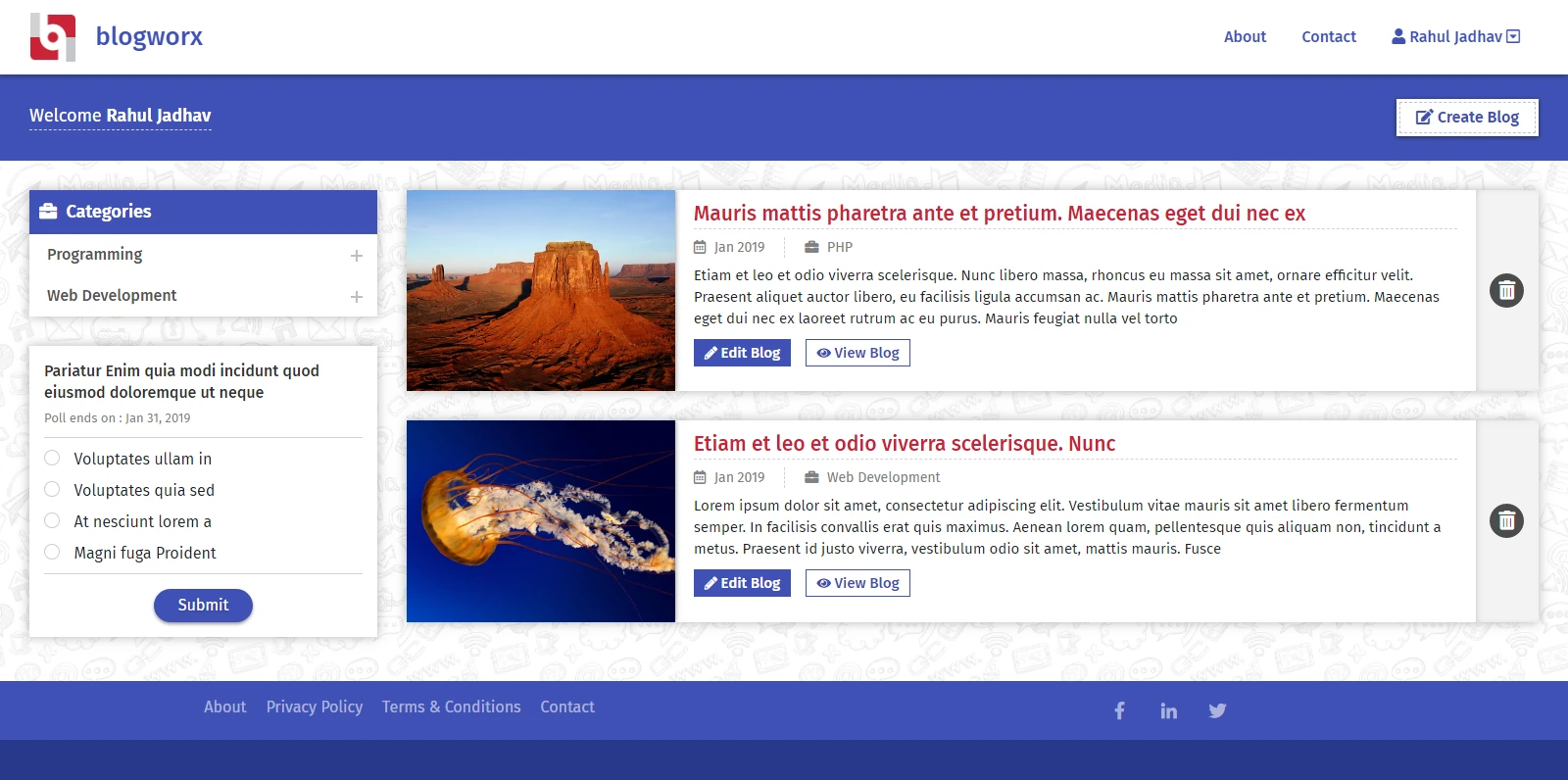
Author dashboard. Every post has edit, view, and delete within reach, with categories and a poll alongside.
The need
Writers needed a simple way to create, edit, and manage their own posts, while administrators needed control over the platform’s branding, pages, and polls — without the two sets of tools getting in each other’s way.
Key workflows
01Authors see all their posts and act on each one from the dashboard.
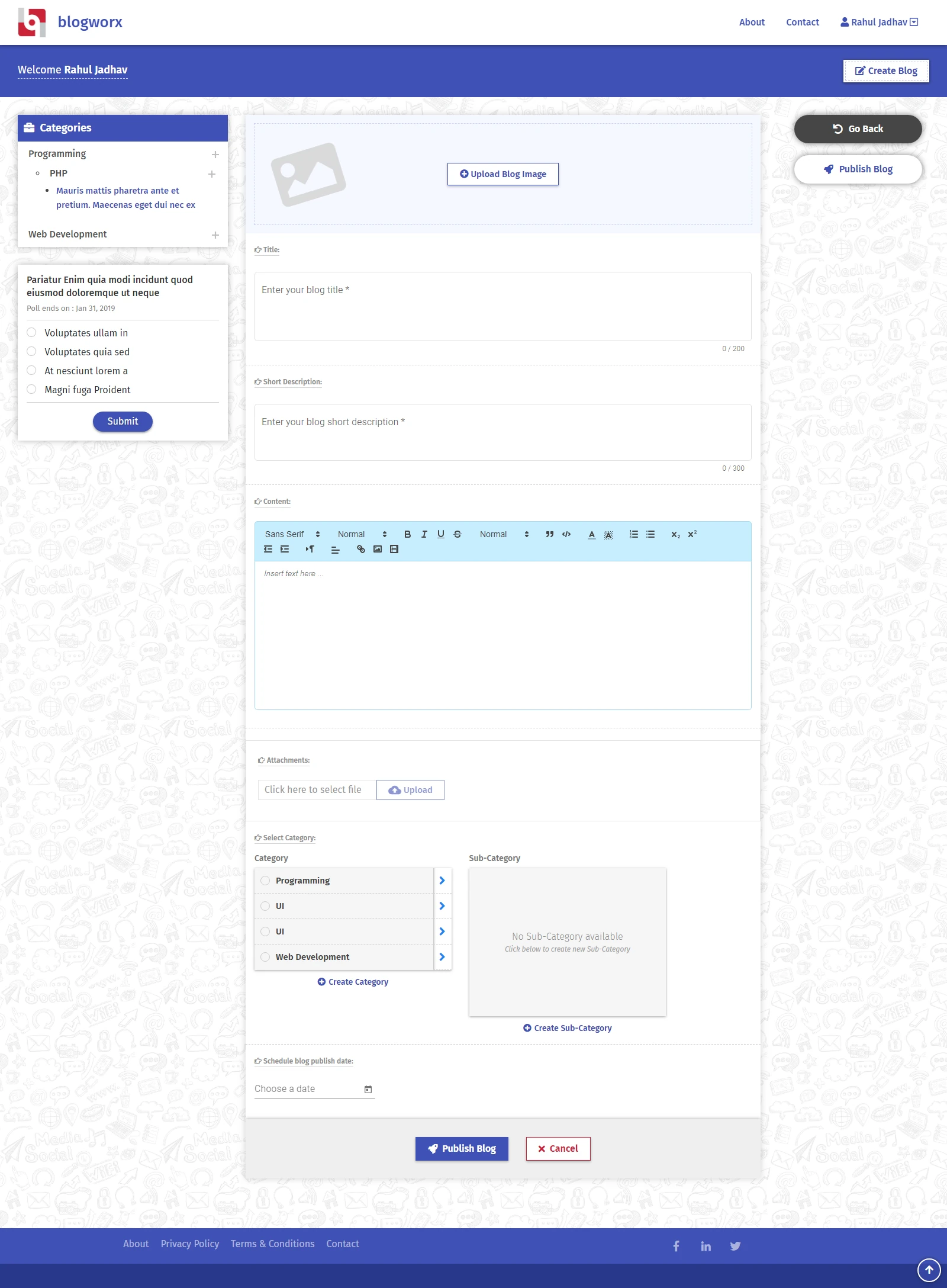
02Write a post with a cover image, title, summary, rich-text content, attachments, and category.
03Delete a post only after an explicit confirmation.
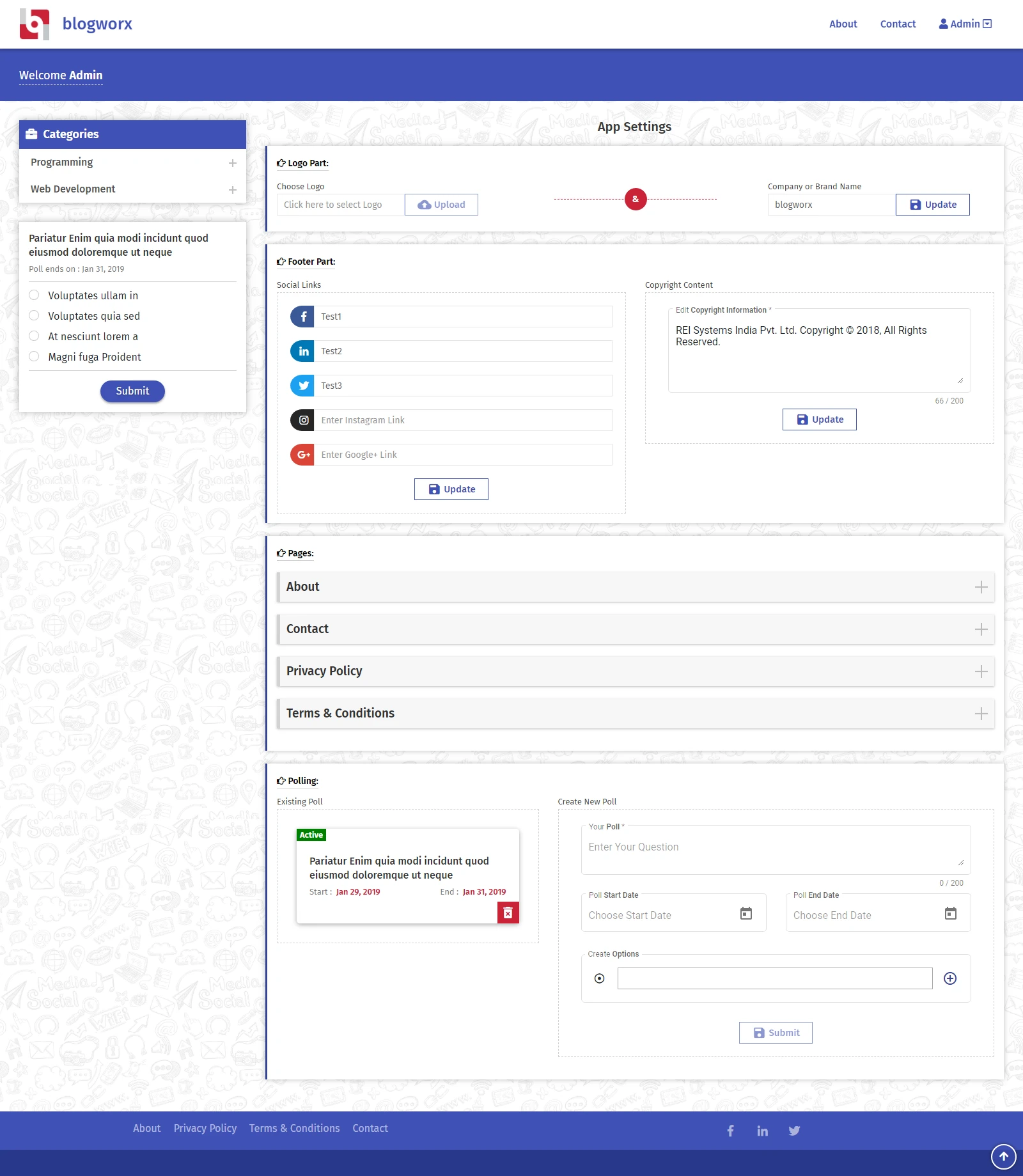
04Administrators manage logo, footer links, static pages, and polls from one settings screen.
Design decisions
One form, in reading order
The editor follows the order a post is read — image, title, short description, content — with character counts on the short fields so limits are clear before publishing.
Make deletion deliberate
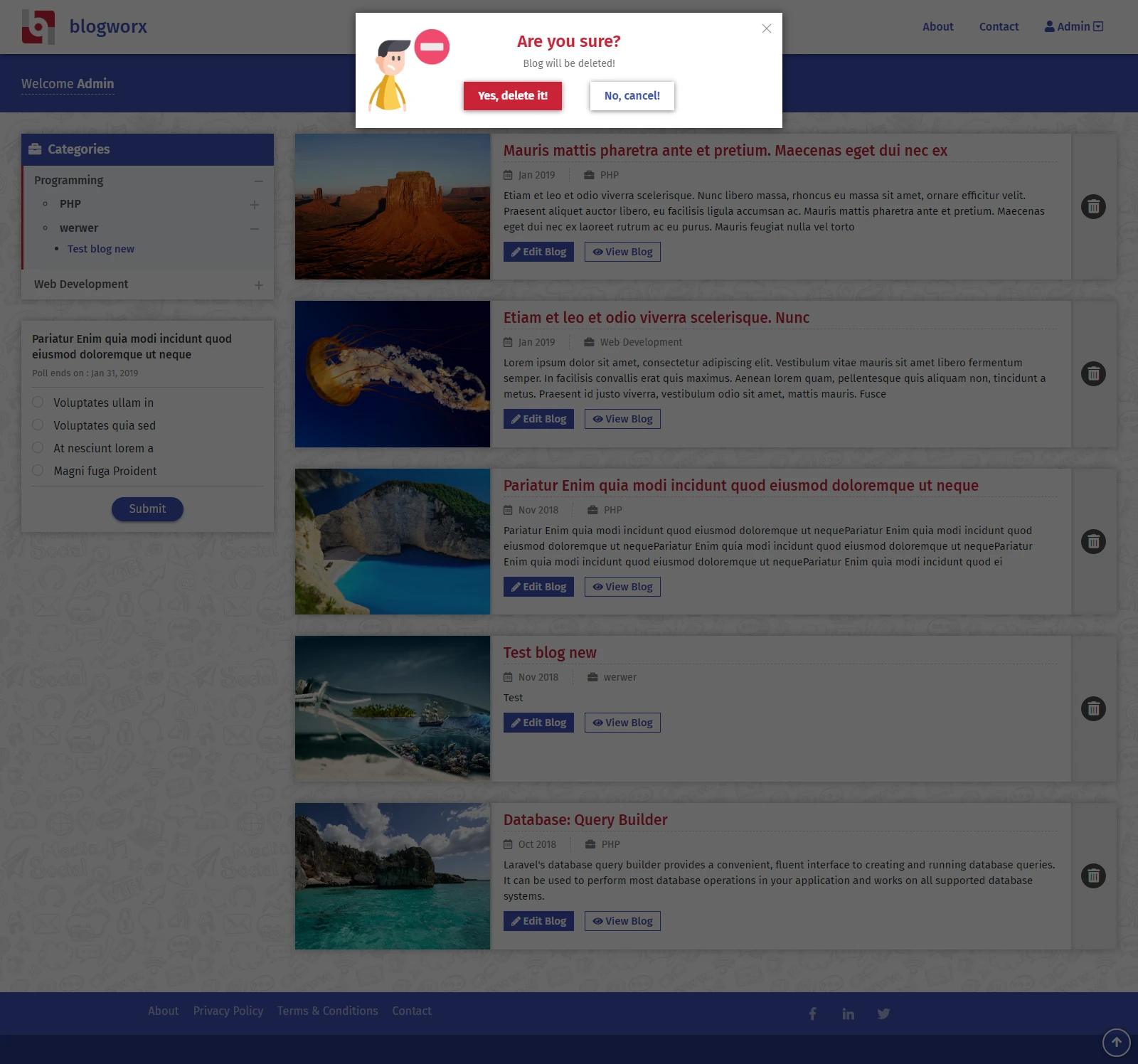
Deleting a post opens a confirmation that names the consequence and labels both choices plainly — “Yes, delete it!” and “No, cancel!” — while the page behind is dimmed.
Separate roles, shared layout
Authors and administrators get different tools built from the same header, sidebar, and card components, so switching roles never feels like a different product.
A mark that fits the product
I also designed the Blogworx logo — a “b” built from blocks and a circle — and used its red and blue throughout the interface.
Screens
Create post. Fields follow the order a reader sees them, with publish and go-back actions fixed to the side.
Delete confirmation. A clear question, the consequence, and two plainly labelled choices before anything is removed.
Admin settings. Branding, footer links, static pages, and polls grouped into clearly separated sections.
What the screens cover
Author dashboard, post creation, and post management.
A confirmation pattern for destructive actions.
Administrator settings for branding, pages, and polls.
The Blogworx logo, shown in the logo design collection.